

Dit bericht is in het Engels.
Bowling Blitz is our controller-only VR bowling game for Meta Quest 2, Quest Pro, Quest 3 and Quest 3S. One power-up, Time Reversal, pulls a thrown ball backward along its path and into your hand so you can throw again. For an evening with friends, agree a room name and up to four of you can bowl on lanes side by side.
Start with a grip, swing and release
Your rack holds four balls. Use the grip button on your controller to pick one up, then swing and release to send it toward the pins. These intuitive controls follow the motion of picking up and throwing a ball. Balls return to the rack automatically.
Here are two tips to pass on:
- Swing with some pace: a ball moving slower than 6 m/s half a second after release doesn’t count and goes back to the rack.
- Keep your head inside the play area when you release: a throw made with your head outside it scores zero.
Throw speed comes from your controller’s movement. Your wrist angle adds spin, which can make the ball hook, or curve as it travels. Speed from your movement and spin from your wrist give the throw a realistic feel. The scoring is standard ten-pin; the direction of each throw gets a little steering toward the pins in every mode.
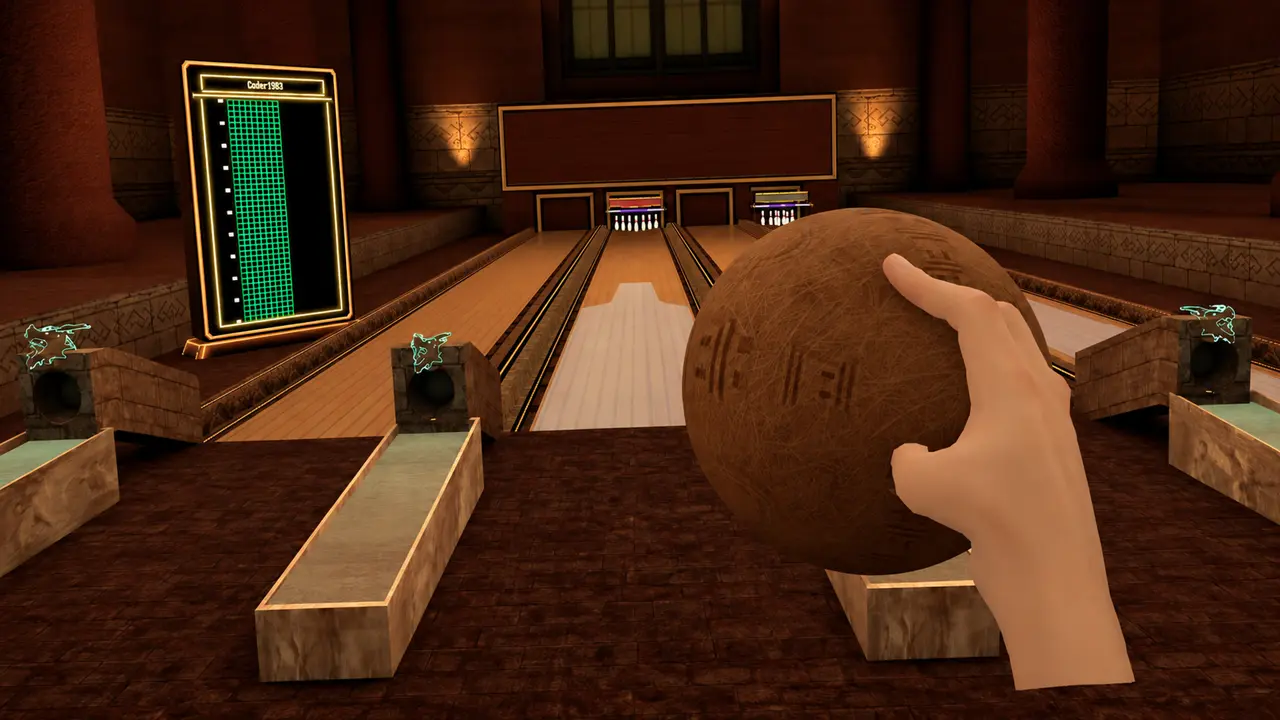
Each game has 10 frames, the scoring turns in a standard game, with 10 pins to knock down. A strike means knocking down all 10 with your first throw; a spare means clearing them with your second. Both earn bonuses based on later throws.
Follow your score on the on-lane scoreboard, then check the separate mini-lane stats panel for your ball’s path, its start, average and end speed, and its spin rate in revolutions per minute. That mini-lane view gives you a record of the throw alongside your score.
Learn what the three power-ups do
Power-ups are actions you activate after releasing the ball. Depending on the mode, you can receive:
- Time Reversal: brings the thrown ball backward along its path and into your hand so you can throw again. Use it before the ball reaches the pins; once it reaches them, you cannot bring it back.
- Multiball: splits the thrown ball into two balls that move apart.
- Speed Boost: doubles the thrown ball’s speed.
A split means pins left standing apart. Our tester uses Multiball on a split. When a single pin is left standing, he uses Time Reversal, because it gives him another chance to throw the ball correctly.
In the two-slot modes, X activates the left slot and A activates the right. You can use one power-up per throw.
Choose your first solo mode
We’ve included four solo modes. If you’re learning the VR throw, start with Practice; if you prefer a scored game without power-ups, choose Casual.
Practice: try the throw and power-ups
Practice gives you a full 10-frame game in one of the 10 classic venues, with two randomly assigned power-ups whose slots stay filled after use. You can try those assignments repeatedly, but starting a game doesn’t guarantee you’ll receive Time Reversal.
Casual: play without power-ups
Casual uses the 10 classic venues and has no power-ups: a plain scored game against the rival on the next lane. It’s a relaxing way to bowl if you prefer to focus on your throws without managing power-ups.
Power: use a slot, then refill it with a strike
Power takes place in three dedicated venues: Celestial Strikes, Sylvan Strikes and Galaxy Rollers. You begin with two random power-ups; using one empties its slot, and a strike refills an empty slot with another random power-up.
Puzzles: bowl around a moving obstacle
Puzzles takes place in Cafe, with one random power-up slot and one moving obstacle on the lane per game; hitting the obstacle ends your roll.
Your first three games use walls, games four through six use fans, and games seven through nine use doors. From game 10 onward, the obstacle is a random wall, fan or door from 15 set-ups, within a scored game with no separate puzzle win condition.
Meet the rival on the next lane
Every solo game includes one animated, computer-controlled rival playing its own 10-frame game beside yours. It walks, picks up balls and takes its throws while you play.
There’s one difficulty level for the rival, and the results screen compares your score with its score.
For your own character, the two choices are Boy and Girl. These characters determine which player body you use in the game.
Pick an alley from 13 venues
Before choosing a venue, you select one of eight oil patterns, the arrangements of lane oil that affect where the ball skids and hooks. Adjusting your spin to suit a pattern can be challenging as you learn to control the hook.
The 10 classic venues are Crown, Cave, Lunar Strike, Busojaras, Iglu, Cafe, Brew, Carnival, Pearl and Retro. Their settings include Crown’s castle, Brew’s pub and Pearl’s underwater surroundings. Retro is a premium venue available as a paid add-on, with a blocky, pixel-style look.
The three Power venues bring the total to 13. There are 13 music tracks, one per venue. The strike effect is the same across the venues except Retro, which has its own.
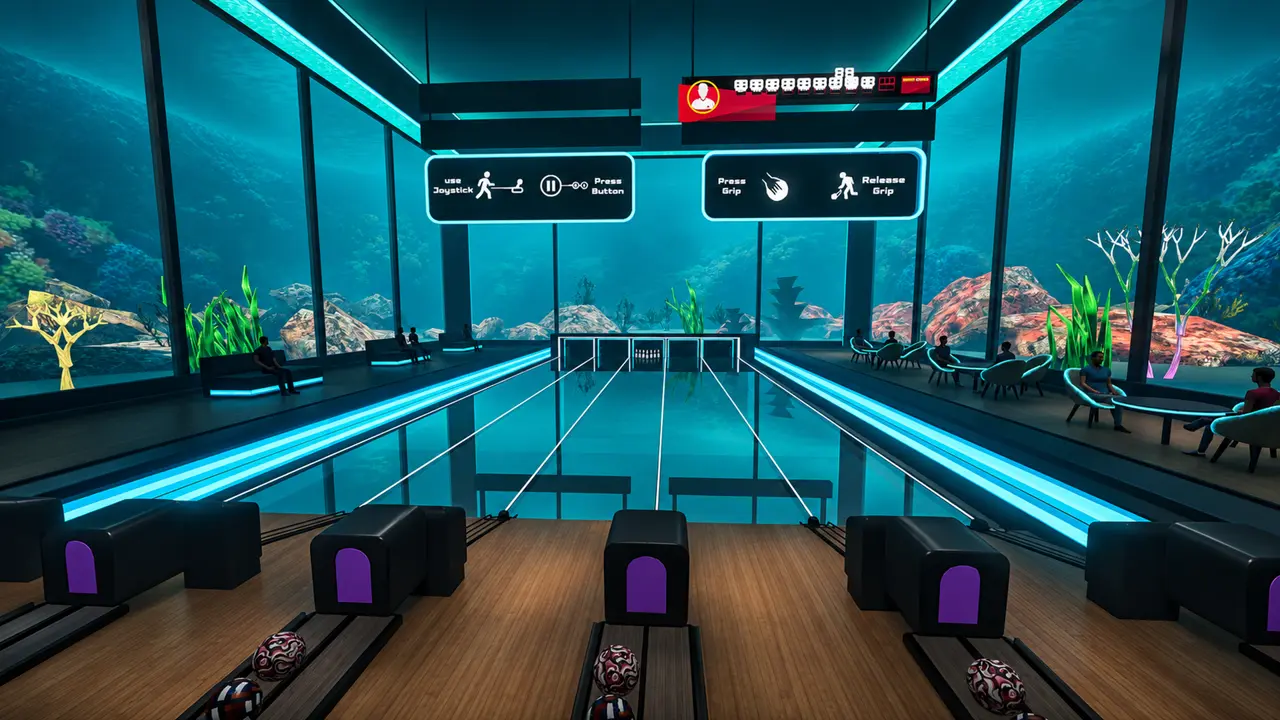
Bring friends into an online room
For multiplayer, type a shared room name to create or join a room for two to four players. Everyone gets their own lane, and you choose Casual or Power. A friend who is late can still join after the game has started, as long as they know the room name.
For a one-on-one game, invite a Meta friend to a private two-player match. There’s no public matchmaking with strangers, so arrange a room name with your opponents or use a friend invite. Voice chat is built in for before and after a match.
When the online game ends, capture the results screen and send it to the group.
Agree a room name with up to three friends, bowl on four lanes side by side, and compare everyone’s final scores on the results screen at the end of the online game.
